Wi-Fi 7 vs. Wi-Fi 6E: Is It Worth Upgrading Your Home Network?
Wi-Fi 7 adds wider channels and multi-link connections. Whether you will notice depends on your devices, coverage, internet plan, and the network you already own.
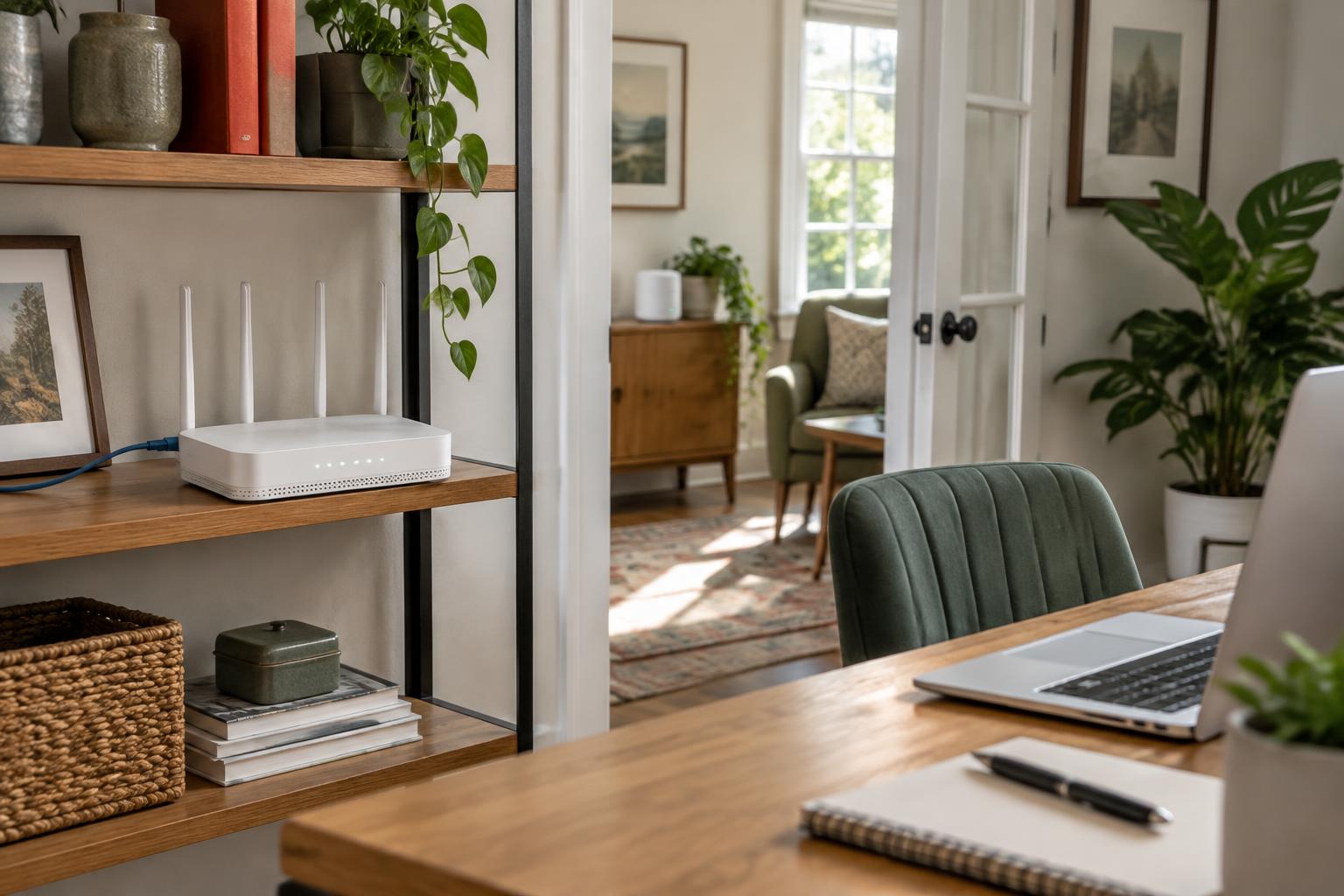
A new router can promise an astonishing number on its box while leaving the household's actual complaint untouched. A video call still freezes in the upstairs bedroom. The television buffers when someone starts a backup. A laptop beside the router works well, but the home office does not. Before choosing between Wi-Fi 7 and Wi-Fi 6E, identify which of those problems you are trying to solve. A newer wireless standard is a tool, not a diagnosis.
The short answer: Wi-Fi 7 is worth considering when you are replacing an aging or unsupported network, own compatible devices, and have demanding local transfers or a fast internet connection that your present equipment limits. But replacing a well-positioned, secure Wi-Fi 6E system simply because Wi-Fi 7 is newer is often difficult to justify. Both can use the 6 GHz band where supported. Wi-Fi 7 adds important capabilities, but they require the right equipment and conditions at both ends of the connection.
For American households, the buying decision should start with coverage, client compatibility, wired connections, and total cost—not the largest advertised speed. This guide separates the standards from the marketing, explains what the newer features can change, and offers a practical upgrade test. It is a source-based comparison, not a router ranking or a claim that Pulse Chronicles has conducted laboratory performance tests.
Wi-Fi 6E and Wi-Fi 7: what actually changes?
Wi-Fi 6E extends Wi-Fi 6 technology into the 6 GHz band. The 'E' means access to additional spectrum, not an entirely new generation of wireless technology. The Wi-Fi Alliance's Wi-Fi 6E overview describes the extension. A Wi-Fi 6 device can use compatible 2.4 GHz or 5 GHz service, but it does not acquire a 6 GHz radio because the router supports 6E. The client must support that band too.
Wi-Fi 7 is the newer generation associated with IEEE 802.11be. The Wi-Fi CERTIFIED 7 announcement highlights 320 MHz channels, Multi-Link Operation, and 4K QAM, among other features. These changes can increase capacity and give compatible equipment more flexibility in how it carries traffic. Certification identifies interoperability capabilities; it is not a promise about speed in your bedroom or a substitute for checking an individual product's specifications.
The simplest comparison is this: Wi-Fi 6 uses existing bands with modern efficiency features; Wi-Fi 6E adds 6 GHz access; Wi-Fi 7 adds a newer set of capabilities that can also exploit that spectrum. Do not assume every Wi-Fi 7 product includes every band, channel width, or port you want. Budget and regional variants can differ. Read the specifications for the exact router and client model rather than treating the generation number as a complete equipment description.
The 6 GHz advantage is real—but it is not new to Wi-Fi 7
The 6 GHz band can offer more room for wide channels and avoids sharing that band with older Wi-Fi devices that cannot operate there. This can help in a crowded apartment building or a busy household, although neighboring 6E and Wi-Fi 7 networks can still compete for airtime. Additional spectrum is not an exclusive lane reserved for your router. The Wi-Fi Alliance's 6E certification announcement explains why access to this band matters.
A good Wi-Fi 6E installation already provides that basic advantage to compatible clients. Buying Wi-Fi 7 does not newly unlock 6 GHz for a household that already has it. The incremental question is whether the newer standard's additional features address a limitation you experience. If your current 6E connection is stable and your usual work is comfortably within its capacity, the new label alone is a weak reason to replace it.
Nor is 6 GHz a universal long-range solution. Signal strength depends on distance, walls, construction materials, transmit-power rules, and equipment. Higher-frequency service can become less useful through difficult obstacles, even if it is very fast nearby. A home may sensibly use different bands for different rooms and devices. In the United States, the FCC's 6 GHz rules distinguish categories such as low-power indoor and standard-power operation; do not treat commercial outdoor capabilities as specifications for an ordinary indoor home router.
320 MHz channels: a wider road, not a guaranteed speed
Wi-Fi 7 can support 320 MHz channels in 6 GHz where regulations and equipment allow, compared with the 160 MHz wide-channel capability associated with Wi-Fi 6E. A wider channel gives a compatible link more spectrum to carry data. That can be useful for a nearby computer transferring large files or for demanding wireless applications. The Wi-Fi CERTIFIED 7 feature summary describes the capability and its dependence on available 6 GHz spectrum.
Doubling channel width does not guarantee doubling a household's internet speed. The router and client must both support the relevant mode, sufficient usable spectrum must be available, and the signal must sustain it. A phone may implement Wi-Fi 7 without supporting 320 MHz channels. Interference, the number of spatial streams, and protocol overhead affect what an application receives. Wider channels can also leave fewer independent wide-channel choices for neighboring networks.
Think of 320 MHz as headroom for suitable conditions, not a reason to force the widest setting everywhere. A narrower channel that works consistently can be preferable to a wide one with disappointing results. Keep the router's recommended settings as a starting point, then assess actual workloads. Avoid judging an upgrade solely by the connection rate displayed in a device's settings; that rate is not a measurement of usable file-transfer or internet throughput.
Multi-Link Operation may matter more than a peak-speed number
Multi-Link Operation, or MLO, lets compatible Wi-Fi 7 equipment use multiple links rather than treating the connection as a single conventional link. Depending on the supported mode and implementation, this can improve how traffic uses available capacity and responds to changing link conditions. The Wi-Fi Alliance describes simultaneous transmission and reception across multiple links as a key capability. For a household, the interesting possibility is better responsiveness or reliability under load—not just a higher result on one speed test.
MLO is not a second internet subscription, and it does not bypass your provider's speed limit. It also does not mean every Wi-Fi 7 phone or laptop can combine every band in every configuration. Router software, client hardware, drivers, operating-system support, and enabled modes matter. Look for the manufacturer's specific explanation of MLO support instead of assuming all products carrying the Wi-Fi 7 label behave identically.
For gaming and calls, remember where delays originate. MLO can help with the local wireless portion, but cannot remove a distant game server's delay, a congested internet uplink, or a satellite connection's propagation time. A wired gaming computer may already avoid the wireless problem altogether. Before paying for lower-latency marketing, compare your experience over Ethernet; if the same trouble remains, investigate beyond Wi-Fi.
4K QAM: extra capacity when the signal is good
QAM is a modulation technique used to encode information in a radio signal. Wi-Fi 7's 4096-QAM, commonly called 4K QAM, can encode 12 bits per symbol compared with 10 for 1024-QAM. That is a 20 percent increase in bits per symbol under the relevant modulation conditions, not a guaranteed 20 percent increase in application speed. Wi-Fi Alliance lists the higher transmission capability among Wi-Fi 7's advances.
The denser modulation needs suitable signal quality. It is therefore more relevant to a strong, relatively clean link than to a device struggling through several walls. If your problem is the back room with weak reception, paying for 4K QAM is unlikely to be the first remedy. Moving the access point, adding a properly connected access point, or improving backhaul may address the actual problem more directly.
Check the phones and laptops before buying the router
Make a short inventory of the devices whose performance matters: work laptops, phones, gaming systems, televisions, and any computer that transfers large files. Record the exact model and its wireless capabilities. A Wi-Fi 7 router normally provides compatible service for older clients on supported bands, but those devices continue to use their own capabilities. Your Wi-Fi 6E laptop does not become a Wi-Fi 7 laptop simply by joining the newer network.
For PCs, Microsoft's Wi-Fi guidance says Wi-Fi 7 is available starting with Windows 11 version 24H2. That is only one requirement: a compatible wireless adapter, appropriate drivers, router support, and system enablement also matter. Intel's 6 GHz and Wi-Fi product guidance adds hardware, software, and regional qualifications. Updating Windows does not manufacture a missing radio.
Apple users should consult the exact device entry in Apple's Wi-Fi 7 availability guidance and its Wi-Fi and Ethernet specifications. Model names, channel-width support, and available features matter more than a blanket claim that recent Apple devices support everything. Regional restrictions can also affect 6 GHz availability. Check the product you own, not a feature list for a different model.
Your internet plan and Ethernet ports can be the bottleneck
A wireless network and the internet connection are different systems. Suppose a household buys a plan advertised at 300 Mbps. A faster local wireless link does not turn that plan into a multi-gigabit service. It may still improve coverage or local transfers, but not the provider's contracted capacity. This example illustrates a bottleneck; it is not a prediction of what any particular plan will deliver.
A router's WAN port connects to the outside service, while LAN ports connect local equipment. Check their speeds and assignments. A 1 gigabit-per-second port in a critical path limits that path even if the router advertises a much larger aggregate wireless figure; usable throughput is lower than the raw line rate. If you are paying for multi-gigabit internet, verify the modem or optical terminal, router WAN connection, relevant LAN ports, and client adapter can support the intended connection.
For local storage, the entire route matters too. A Wi-Fi 7 laptop cannot pull files faster than a network-attached storage device's link or disks can supply them. A fast switch is irrelevant if a slower connection sits between it and the access point. Draw a simple path from the device to its destination and check each segment. Spend on the limiting segment rather than assuming the router is always the restriction.
Mesh systems: backhaul can decide the result
Mesh adds access points around the home, but those points still need a route back to the main network. That connection is called backhaul. With wireless backhaul, the inter-node radio link and the airtime it uses can constrain performance. Adding a node in a room that already has an extremely weak connection to the main node may simply repeat a weak connection. Placement should preserve a useful link between nodes, not merely put hardware beside the struggling device.
Ethernet backhaul can provide a stable connection between access points and reduce reliance on wireless inter-node traffic. It is not automatically supported in every arrangement, and port speeds still matter. TP-Link's Deco Ethernet-backhaul guidance illustrates why topology and operating-mode instructions are product-specific. Consult the instructions for the system you actually buy; the example is not a product endorsement or evidence that every mesh brand behaves the same way.
A well-designed Wi-Fi 6E network with wired backhaul can be more useful than a poorly placed Wi-Fi 7 mesh system. Conversely, a suitable Wi-Fi 7 system may improve a demanding wireless-backhaul installation. There is no universal result without examining the house and equipment. Budget for the number of access points and any wiring that solves coverage, rather than putting the entire budget into one impressive router in a closet.
Security: newer standards do not replace maintenance
For ordinary protected home networks, 6 GHz operation uses WPA3 rather than a WPA2-only configuration; Wi-Fi Alliance's WPA3 deployment guidance discusses the security requirements and compatibility considerations. Legacy devices on 2.4 GHz or 5 GHz may require a different compatible configuration. A WPA2-only smart-home device cannot be made 6 GHz-capable by weakening settings. Follow the vendor's guidance for protected networks and keep older devices on an appropriate supported band.
Choose equipment with a clear security-update policy, install firmware updates, use a strong administrator password, and disable remote administration if you do not need it. Review whether management requires a cloud account and what information the accompanying app collects. A Wi-Fi generation number does not describe the manufacturer's support lifetime, privacy practices, or the safety of every administrative feature.
An unsupported router is a stronger reason to replace equipment than a small potential speed gain. Guest or IoT separation can help limit access between device groups, but the isolation must actually be supported and enabled. Check that guests cannot reach local computers or storage when that is your intention. Do not assume a separately named network automatically provides all the protections you expect.
When upgrading to Wi-Fi 7 makes sense
Consider Wi-Fi 7 when your current router is failing, no longer receives updates, or cannot serve the household's coverage and capacity needs. If you are buying a new network anyway, the newer standard may be a sensible choice when the price premium is acceptable and the equipment also supplies the ports, access points, and support you need. Its value is easier to defend as part of a necessary replacement than as a discretionary swap of a good 6E setup.
The strongest performance case combines compatible clients with a demanding workload: large local transfers, a capable storage server, multi-gigabit internet, or a busy wireless environment where the newer features are supported and useful. A household planning to keep the router through several device replacements may also value the upgrade path. That is a judgment about useful headroom, not a guarantee of future-proofing or a promise that every future device will use every feature.
If the network serves paid work, favor dependable coverage, tested compatibility, and support over a theoretical maximum. A return period can be valuable because the house is part of the system. Keep the previous working configuration until the new installation has passed real calls, transfers, and smart-home checks. Do not dismantle a reliable network immediately before an important remote meeting simply to chase a new standard.
When keeping Wi-Fi 6E—or fixing something else—is smarter
Keep a secure, well-performing Wi-Fi 6E system if it already covers the home and handles your activities comfortably. Streaming, browsing, and ordinary calls do not automatically become visibly better because the local link has more unused capacity. If most important clients are 6E or older, the immediate benefit from Wi-Fi 7-specific features may be limited. Money saved can go toward better placement, wiring, or an access point where it is needed.
Investigate the internet connection when wired devices suffer the same slowdown as wireless ones. Upload saturation, provider congestion, modem faults, or a remote service can be responsible. A faster Wi-Fi standard cannot repair those problems. For households weighing the outside connection itself, our satellite-versus-fiber guide explains why uploads, latency, and availability deserve separate attention.
Wi-Fi 6E can remain a reasonable new purchase if a specific system meets your needs and its total price is meaningfully lower than a comparable Wi-Fi 7 option. Compare equivalent node counts, ports, support, and features—not a discounted single router against a full mesh kit. This article does not assign a nationwide price or a universal break-even premium; retail offers and the equipment needed for each home vary.
Run a household upgrade test before spending
First, update the present router and clients, then test a device near the router and in the rooms that cause trouble. Where supported, compare Ethernet with Wi-Fi using the same device and activity. Record download and upload behavior, disconnections, and responsiveness during the household's busy hours. One favorable speed test at an empty-network moment is not a full diagnosis.
Second, distinguish internet performance from local-network performance. A transfer between capable local devices can reveal a wireless limitation that an internet speed test hides. Conversely, a slow disk or older Ethernet adapter can make a local test misleading. Identify the equipment in the test and avoid interpreting the displayed Wi-Fi link rate as measured application throughput.
Third, try practical placement changes. Put the router in an open, appropriate location instead of behind a television, inside a cabinet, or at the far end of the house. Review access-point placement and backhaul. If an adjustment solves the problem, the least expensive upgrade may be no router upgrade at all. If you buy new equipment, repeat the same activities and locations within the return period and judge the improvement that the household actually notices.
A buying checklist that looks beyond the box
Confirm the exact router's supported bands, channel widths, MLO features, and certification status. Check the important client devices independently. Count WAN and LAN ports, record their speeds, and verify any mesh backhaul requirements. Confirm compatibility with your provider's equipment and whether bridge or access-point mode affects the features you need. Include the full node count, installation, optional subscriptions, and any client upgrades in the cost.
Read the security-update policy and return terms. Check support for older smart-home devices and the guest-network separation you require. Decide how the system will be managed and whether an account or app is mandatory. Avoid imported hardware intended for a different regulatory region. A complete, suitable network is a better purchase than the fastest-looking router whose surrounding requirements were left out of the budget.
The verdict: upgrade for a real limitation, not just a generation number
Wi-Fi 7 is a meaningful technical advance over Wi-Fi 6E. Wider supported channels, MLO, and higher-density modulation can provide valuable capacity and flexibility. But Wi-Fi 6E already delivers the central benefit of 6 GHz access, and the newer features depend on clients, settings, signal conditions, and the rest of the network. A working 6E installation does not become inadequate merely because a successor exists.
For most households with a stable, supported Wi-Fi 6E system, keeping it is a defensible default until a concrete need appears. For a necessary replacement, compatible multi-gigabit setup, or demanding local workload, Wi-Fi 7 deserves serious consideration. In either case, prioritize coverage, security support, backhaul, and the actual devices in the house. Buy the improvement you can use, not the number that occupies the most space on the box.
Sources and editorial disclosure
Prepared October 28, 2026 for a U.S. audience using the Wi-Fi Alliance standards and certification resources, FCC spectrum guidance, Microsoft and Intel support information, Apple device specifications, and the manufacturer backhaul documentation linked above. Capabilities are distinguished from guaranteed throughput. Device support, firmware, regional availability, and retail offers can change; confirm the exact models and current manufacturer instructions before buying.
This article was prepared with AI assistance using public sources. No independent human editorial review, original interviews, laboratory benchmarks, router product testing, or nationwide price survey is claimed. The accompanying image is an AI-generated editorial illustration of generic home networking equipment, not a photograph of a named router or a tested installation. No router brand is ranked or endorsed.
More from Tech

Best 10 Technology Websites for the Latest AI News
Keeping up with AI in 2026 means picking a small reading list you can actually trust. Ten websites worth bookmarking — from legacy newsrooms to focused independents — and what each one does best.

The 10 Layers of the Supply Chain of Intelligence
Anand Arivukkarasu's Supply Chain of Intelligence runs from L-1 Resources to L8 Memory. Here is each of the 10 layers in plain English — who owns it, where the margin sits, and why it matters to U.S. companies in 2026.

How to Measure AI Recommendation Visibility
Rankings and sessions can't tell you whether ChatGPT names your brand. Here's the measurement system US marketing teams are building instead — the metrics, the sampling math, the tooling, and the traps.